buildcraft Case study
Bringing an entire inspection industry under
one roof
Buildcraft set out to be one thing: the single system a construction inspection company would run its entire operation on. Scheduling, tasks, time tracking, documentation, invoicing; all of it, in one place, instead of five disconnected tools held together by outlook calendars and Excel sheets.
I designed the whole MVP, from the underlying structure of the product up through every screen. It's also the project that taught me the most about what I didn't know yet, about complex systems, and about the distance between a good design and a buildable one.
#BUILDCRAFT
Scope of this case study
This case study covers the MVP I designed for Buildcraft, the resource scheduling core, the task and time-tracking flow, and the path from a completed inspection to management, all under one roof.
It also covers what happened after - why a well designed product still didn't make it to market, and what that taught me about designing for scale.
THE PROBLEM
"I'd rather lick the floor than look through
50 calendars."
That's an actual quote from an actual project manager, from our user research, tired about her actual job having to find a time slot for scheduling an inspection.
Screenshots shows how the calendar's are organized and how the inspection schedules are managed


What we set to do
The brief wasn't "design a scheduling tool." It was "hold an entire company's operations together"
Inspection companies weren't struggling, but rather the people involved in moving these cogs were the ones struggling because they didn't lack the software, but because every part of their business lived somewhere different.
— Projects were tracked in spreadsheets.
— Inspectors managed their own calendars, and having to find a inspector that's near and available was a
hassle on it's own.
— Reports were written separately by hand.
— Managers had to comb through multiple different calendars to find the right inspector.
— Project managers became the people stitching all of those pieces together.
This sheet shows how they manage their pricing for inspections -

Who We Were Building For
There are a fair amount of people involved in a system designed to help the entire company process, the main figures are

Project Manager
Coordinates clients, inspectors, schedules, and projects while keeping daily operations running smoothly

Head inspector
Leads inspections, oversees report quality, and acts as the primary point of contact on-site

Assistant inspector
Conducts trade-specific inspections and contributes findings to the final inspection report

Financial assistant
Manages invoices, verifies time reports, and keeps project finances in order

Company leadership
Monitors business performance, project health, and opportunities for growth
The annoying challenge to overcome
Designing for people who didn't want to learn software
The project manager wasn't the only person using the platform.
Head inspectors were responsible for the quality of every inspection and ultimately signed off on reports that carried legal responsibility. Assistant inspectors focused on their own trade, whether plumbing, electrical or structural, contributing their expertise to a much larger inspection.
Financial assistants only touched the system long enough to reconcile invoices and payments, while company leadership cared less about individual projects and more about understanding how the business was performing as a whole.
Although they all used the same product, they were solving completely different problems. What they did have in common was how they felt about software.
None of these people were the kind of user a typical SaaS product gets designed for. They weren't young. Most were over 40. They weren't patient, they had a job to do, and zero tolerance for software that got in the way of it. And they weren't going to remember a clever interaction pattern just because someone showed them once.
If it wasn't obvious the first time, it wasn't going to get used
"Having to enter the same information into three systems makes me lose my will to live."
— another frustrated Project Manager
Complexity
Understanding the real problem
Initially, I assumed the biggest challenge would be scheduling inspectors. It didn't take long to realise that scheduling was only the tip.
The real complexity sat underneath it.
Every project depended on people with the right skills. Those people had different availability, certifications and workloads. Once an inspection was completed, the report depended on that work being recorded correctly.
Time reports depended on completed inspections, invoices depended on approved time, and leadership depended on all of that information being accurate enough to make decisions.
The more I mapped the workflow, the more obvious it became that how every part of the product was inter-connected.
product snapshots
Here's product at a glance.


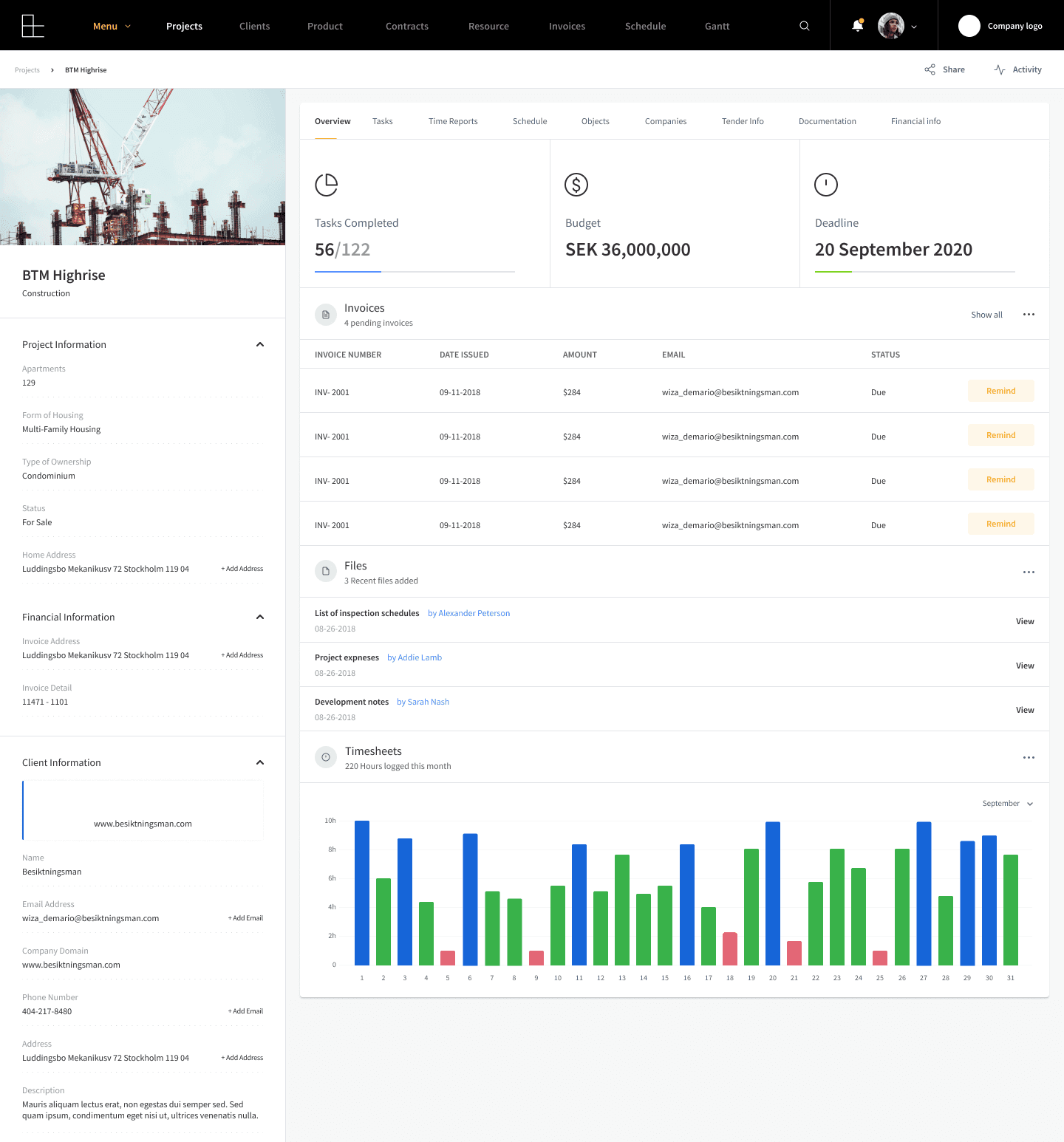
Project overview and activity
This is the screen a project manager would have open all day. It needed to show what changed and what needed attention right away, without them having to go looking for it.

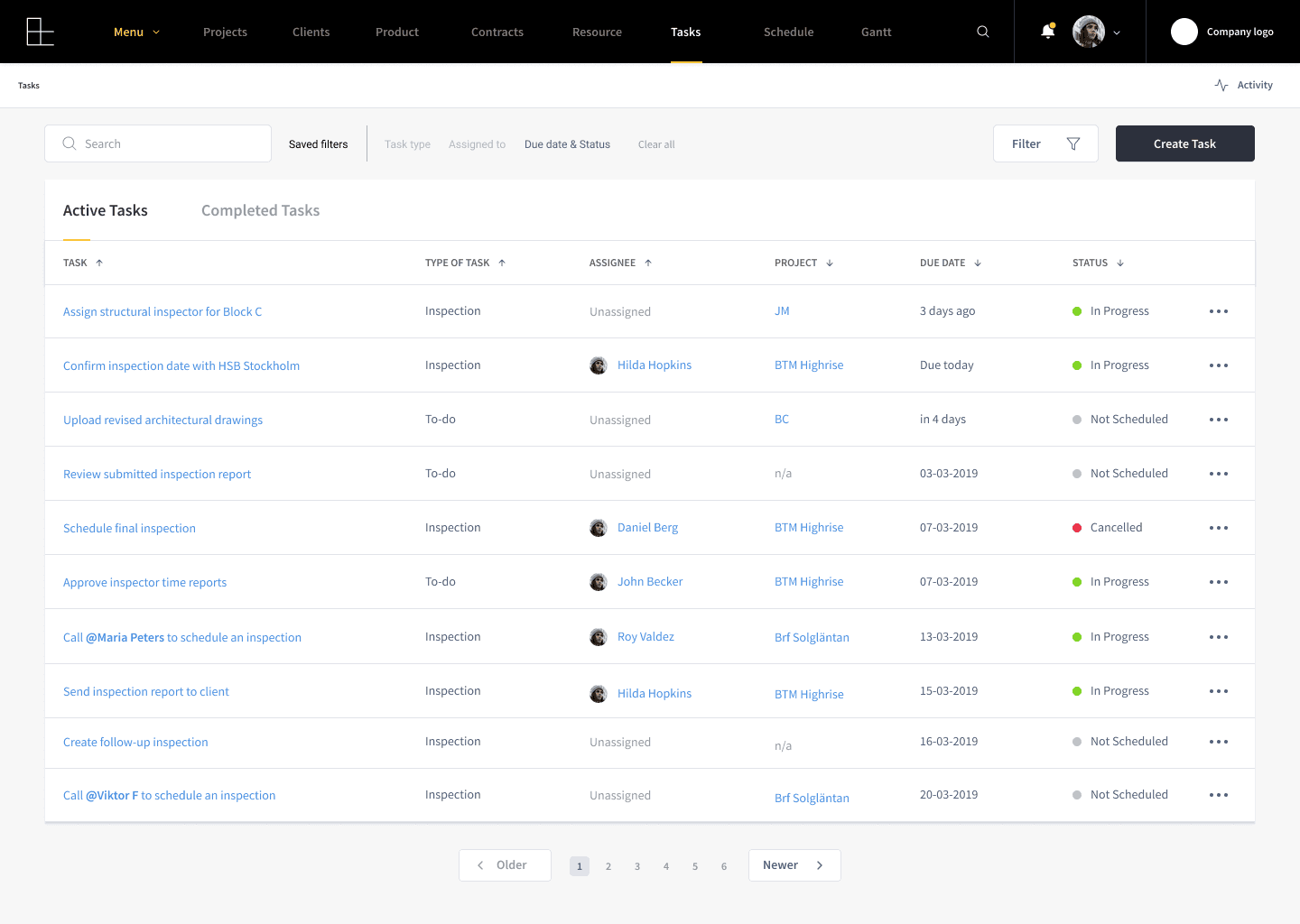
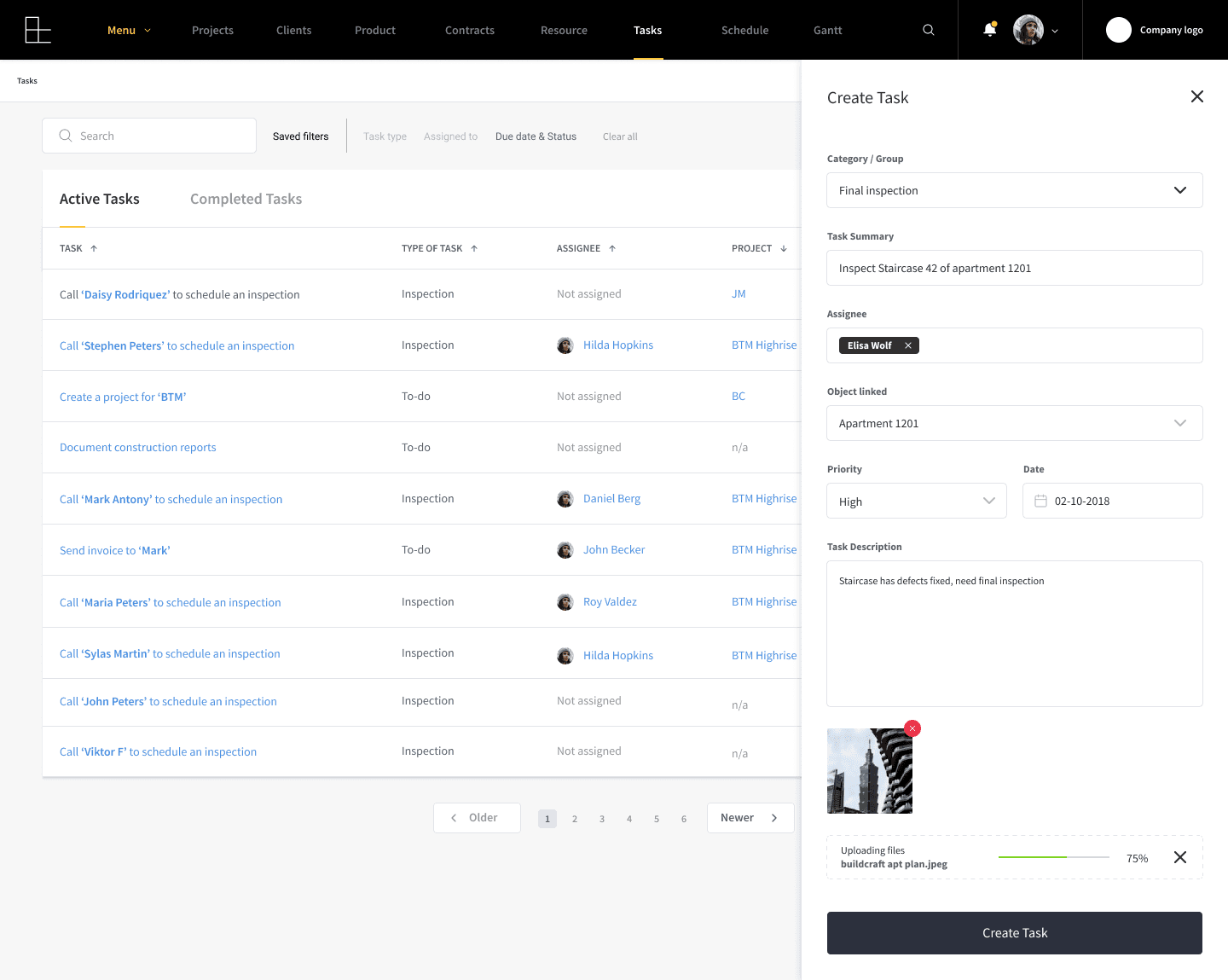
Task management
Kept this as simple as possible. Assign a task, set a deadline, mark it done. Most of our users had never used a project tool before, so this had to make sense in one look.
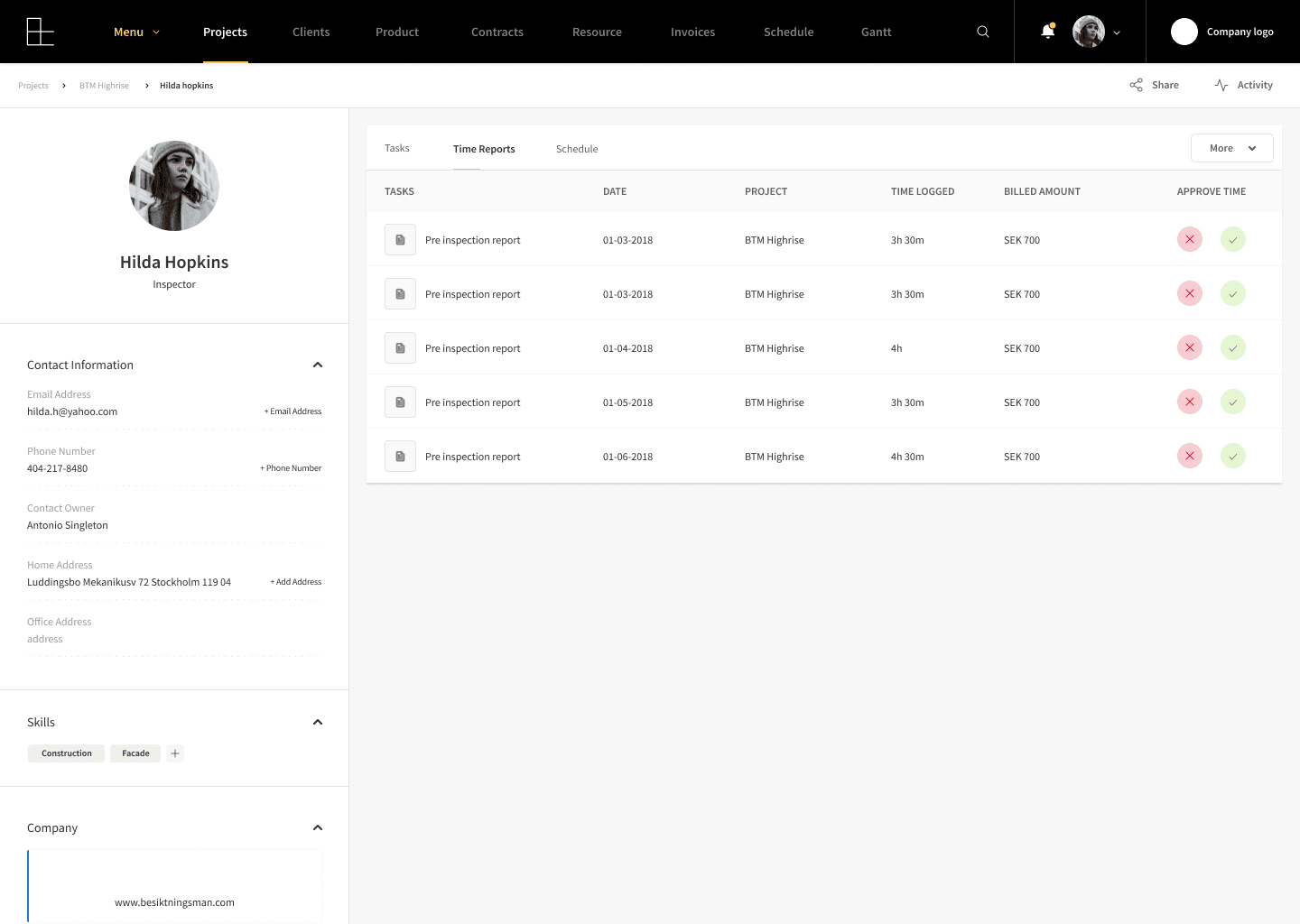
Time reports
This is where accuracy mattered most. Every invoice depended on the hours logged here being right, so this screen carried more weight than it looks like it does.

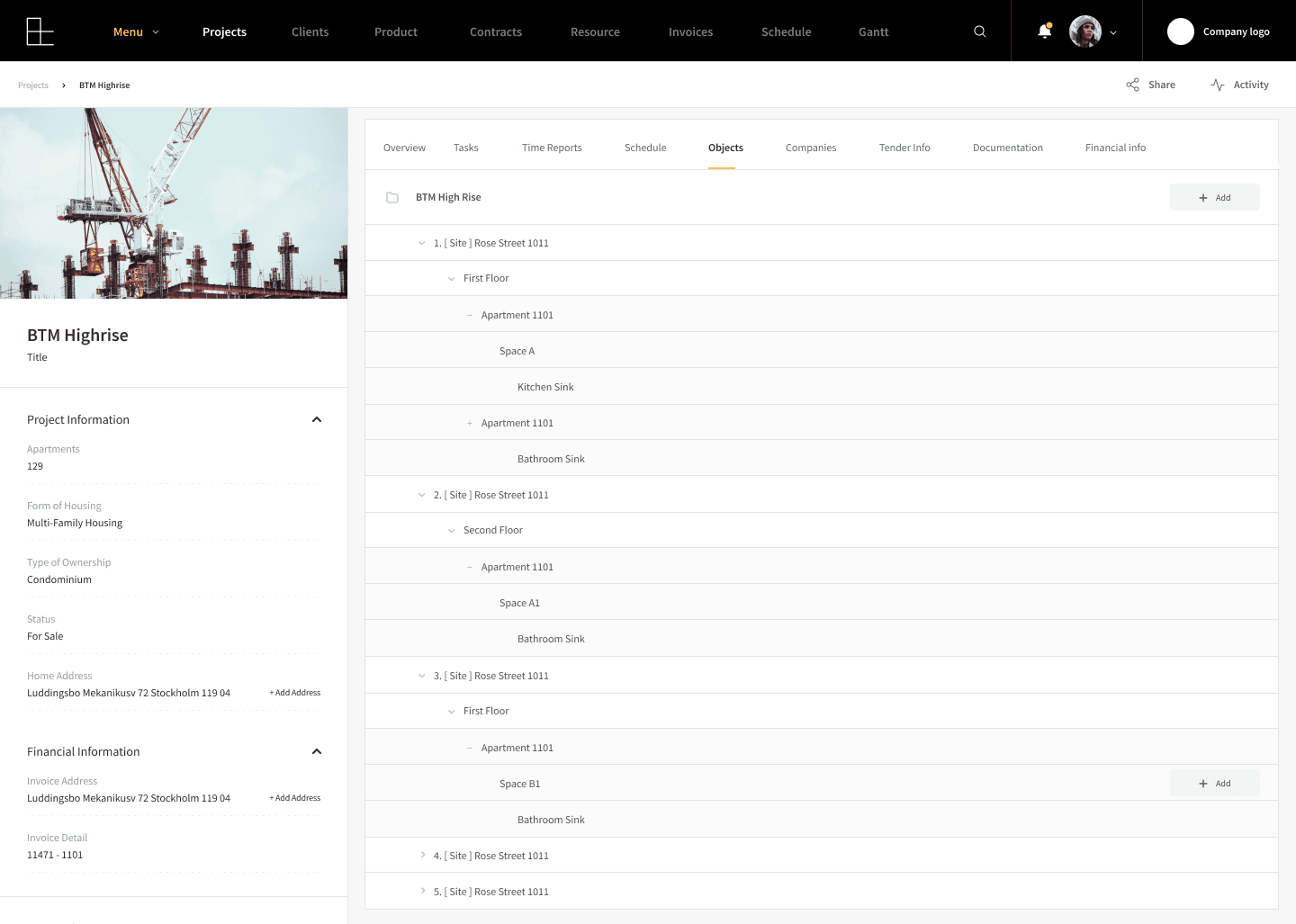
Object tree
Construction projects are made up of hundreds of connected parts. This was my attempt to show that structure clearly instead of leaving it in someone's head

Resource allocator
This screen makes it easier to plan who with which skill is needed for each inspection, allocate people, time, and resources based on availability and workload match the right inspector to the right job based on their skills and availability, so no one ended up double booked or overloaded.


WHERE IT STALLED
Why shelve something this ambitious?
Every piece depended on the one before it being right, the resource scheduler depended on the object tree being modeled correctly, the time report depended on the task being logged correctly, the invoice depended on the time report being approved correctly.
In practice, it meant real calendar integrations, real accounting software, a CRM on the sales side, none of it simple on its own, and all of it needed before the product actually worked end to end
And even if we'd built all that, someone still had to convince inspectors and project managers to abandon the calendars, spreadsheets, and habits they'd used for years and move their entire workflow.
Leadership weighed it honestly: the upside was real, but so was the cost of building it and the cost of getting an entire, change-resistant industry to move onto it. The cons won, and the project was shelved.
WHAT I TOOK FROM IT
This is the project that taught me where "ambitious" tips into "not right now." The design held together, it tried to solve a frustrating problem.
I went in blind and It's also where I learned to design a complex ERP as a system and its dependencies. Where one decision would ripple all the way to how an inspection company managed their workflow.
And it's the first time I had to design for a domain I didn't come from, by actually reading how they worked and how they put their documents and process together and somehow put them all together, just enough to put them right, instead of leaning on instinct. Both habits have stayed with me since.
— end —

